Prepare details you control
Secure your email first and use a unique exchange password. Enter your real residence and legal identity; mismatched details can delay verification. Never use another person’s documents.
Start with your residence and the correct Bybit regional service, then verify the contact used for your login. Separate account creation, identity approval and product access before sending money.
Creating a login is only the first stage. Check whether the exchange serves your actual residence, register with contact details you control, complete the required identity checks, and protect the account before considering a deposit. A successful signup does not confirm access to every product.
Screens and requirements can differ by country, account type and app version. Check the terms for the entity serving your residence.
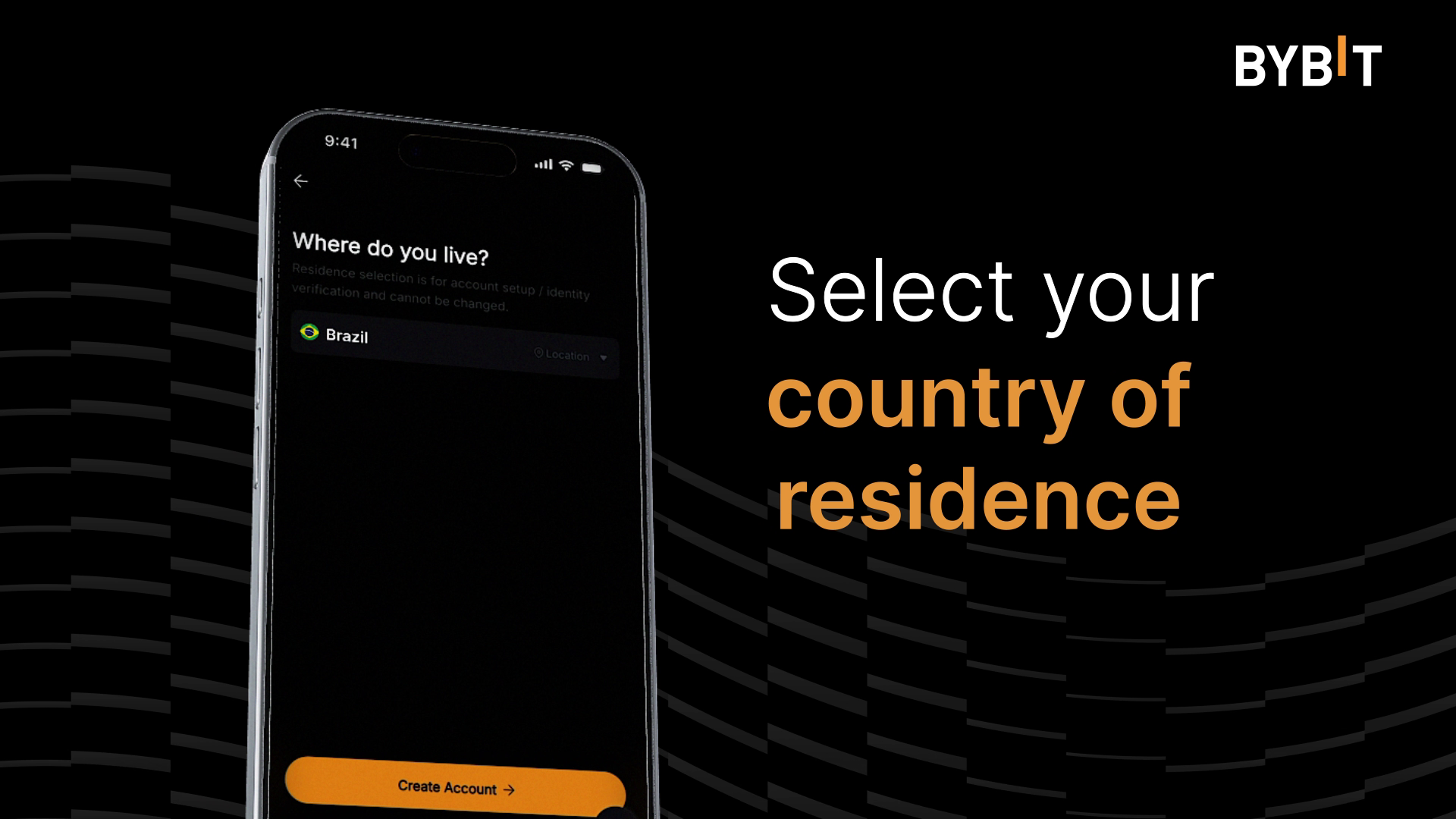
Choose your actual residence on the country screen shown below. If Bybit redirects you, continue only on the service applicable to you; a restriction is not a form error to work around. Keep track of the regional site you used so that you can return to the correct login.
Tap the image to enlarge · Example screens may use a different language or layout from your account. Follow the fields shown in your own registration flow.
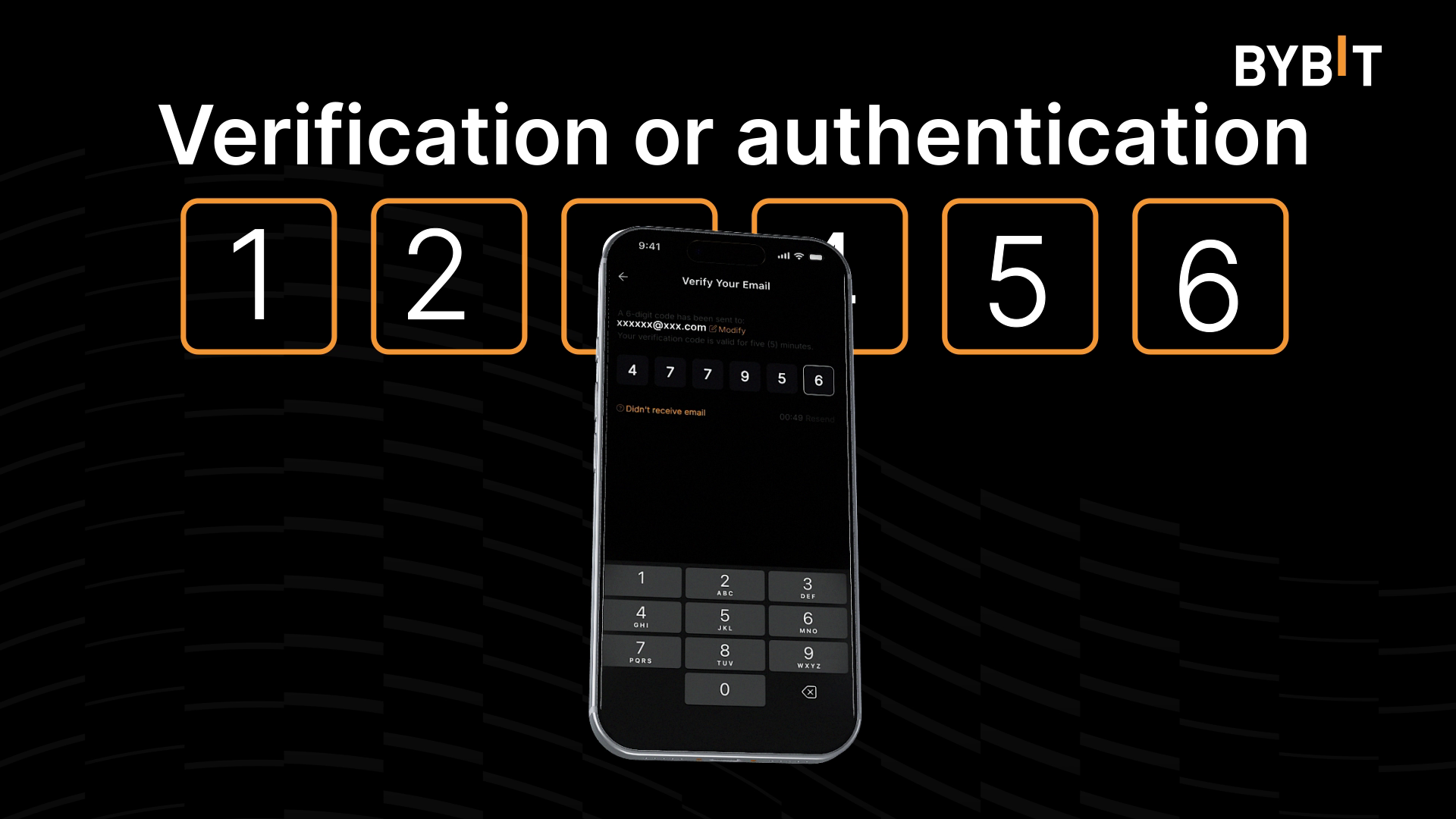
Complete the email or phone code prompt and password setup. If using a referral code, inspect it before creating the account. Use the same login method when returning; a third-party sign-in can be tied to a different email from the one you normally type.
Tap the image to enlarge · Example screens may use a different language or layout from your account. Follow the fields shown in your own registration flow.
Open Identity Verification in the account area and complete the requested document and face checks. If review is pending, check for a request to correct details rather than creating another account. Once approved, review account security and the access shown for the specific service you intend to use.
Some links on this page are affiliate links. If you use one, we may earn a commission. Commercial relationships do not determine our availability, cost or safety checks, and provider terms can change.
Sign up for Bybit · code 8DXZXGZDuring account creation, confirm that referral code 8DXZXGZ is shown before you submit. It usually cannot be added after registration. Continue only if the official signup page confirms your eligibility and the terms you accept.
Confirm that the service and the product you need are available for your residency. Open the provider through its official domain and review the current local terms before creating an account.
Use a unique password and the strongest multi-factor authentication the provider supports. Do not share login codes, recovery phrases or remote access to your device.
Identity checks depend on jurisdiction, product, payment method and provider policy. Follow the current instructions shown for your account rather than assuming one universal KYC process or review time.
Check the payment methods available to you and compare funding fees, settlement conditions, reversibility and any withdrawal holds before sending money.
Before confirming a purchase, compare the quoted BTC amount, price, trading charge, spread, currency conversion and any other cost that applies to your route.
Provider custody and self-custody have different risks. If you choose self-custody, learn how keys, backups, addresses and recovery work before moving funds.
💛 Some links on this page are affiliate links. If you use one, we may earn a commission. Commercial relationships do not determine our availability, cost or safety checks, and provider terms can change.
Does creating an account always cost nothing?
Account-opening terms vary. Check the provider's current fee schedule and local terms; trading, funding, conversion or withdrawal costs may apply later.
Why did signup take me to a different regional site?
The residence selection can route you to a regional service. Check its domain and account terms; use that same service when returning. Do not select an inaccurate residence to stay on a preferred site.
Apple login works, but my usual email does not.
If you chose Hide My Email, the account may use an Apple relay address. Check the Bybit entry in Apple’s Hide My Email settings and use the original login method before attempting account recovery.
I can log in but a product is unavailable.
Check identity status and the specific product message. Login success, KYC approval and product permission are different states. Avoid opening duplicate accounts to bypass an unavailable service.
Can I buy Bitcoin immediately after signing up?
Not necessarily. Registration, identity approval, payment availability and product access are separate checks. Confirm all four in the account before transferring money.
Is a referral code required?
No referral is needed to understand this guide. Where a code is optional, you can leave it blank. Benefits depend on current terms, region and eligibility; a code does not guarantee a rebate or bonus.
Should I use the app or the website?
Use the route linked by the official provider. A website may hand a camera check to your phone. Download through official links and verify the publisher, rather than installing a file sent by an unknown contact.
What if my country is not supported?
Stop that registration and research providers that lawfully serve your residence. A translated website, accessible signup page or referral link is not proof of eligibility.
Does passing KYC mean my funds are guaranteed?
No. Identity verification does not insure deposits or remove exchange, custody or market risk. Decide how you will secure and store assets before funding.
Creating an account, passing identity checks and receiving trading permissions are separate stages.
Secure your email first and use a unique exchange password. Enter your real residence and legal identity; mismatched details can delay verification. Never use another person’s documents.
If a referral field appears, verify the code and benefits on your own screen. Do not assume a missing code can be added later or that every region receives the same offer.
Enable the strongest authentication options supported by your account and store recovery information safely. Reopen security settings to confirm activation rather than relying on a setup email.
Use the document type accepted in your account and check that it is valid. Match the legal name and date of birth to the document, photograph all requested sides in even light, keep the edges visible and avoid filters. Complete any liveness check yourself. Submit sensitive documents only within the account verification flow, not to a person who contacts you in chat.
Before retiring the old phone, review the account’s available recovery methods and obtain any recovery codes it offers. Use the account’s own migration or replacement process for your authenticator or passkey. Test a normal login on the new device while you still control the old one. Security changes may trigger temporary restrictions; check the account notice before planning a withdrawal.
Check spelling, spam and the resend timer. Use the latest code only and never share it. If delivery still fails, use the platform’s support flow.
Read the specific reason. Glare, unreadable details, expired documents or name mismatches can cause problems. Correct the issue before resubmitting.
Check the permissions in your account first. Registration alone does not guarantee deposits, withdrawals or trading access. Resolve eligibility before funding.
Use password recovery or the sign-in method originally chosen, such as email or a supported third-party login. First confirm you are on the real service. Avoid creating additional accounts to work around the message; account and identity rules differ by platform. If recovery fails, use the existing-account support process.
Do not change spelling just to make a form pass. Review the platform’s legal-name and payment-owner requirements, then use its profile correction process with the requested documents. Pause funding until the mismatch is resolved; a transfer from an unsupported account owner may be returned or delayed.
⚠️Educational content only — not financial advice. Crypto is volatile and you can lose money. Rules vary by country; understand and follow the laws that apply to you.